The Cover Fits in Two Directions
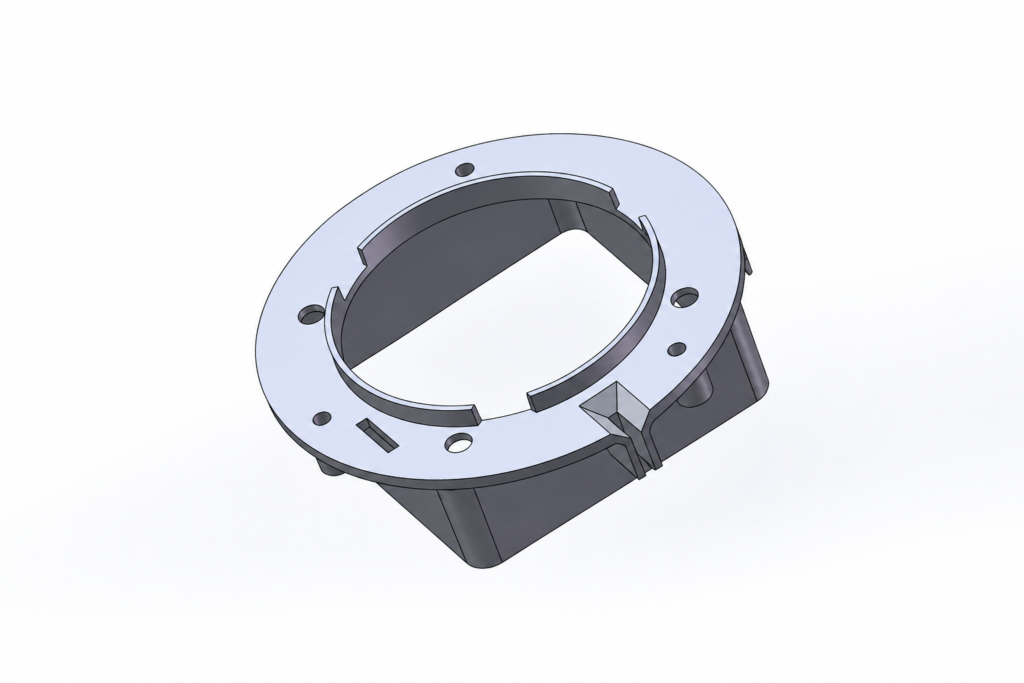
Mistake-proof maintenance cover design prevents incorrect installation during servicing through asymmetric pins, tabs, and locating features. These features ensure the cover fits only in the correct orientation, reducing assembly errors and protecting internal components.
A symmetrical cover may still fit after a 180-degree rotation, potentially misaligning connectors, vents, seals, or other internal components. A well-designed locating structure makes incorrect installation physically impossible.
Choose a Clear Positioning Method
| Locating Feature | Suitable Use |
|---|---|
| Unequal pin spacing | Prevents reversed installation |
| Different pin diameters | Creates only one matching orientation |
| Tab and slot | Provides visible and physical guidance |
| Offset screw pattern | Prevents incorrect hole alignment |
| Stepped edge | Controls both direction and seating depth |
| Unique corner geometry | Makes cover orientation immediately clear |
The best method is usually a feature formed directly into the cover and housing rather than a removable component.
Locate Before the Screws Engage
Screws should provide clamping force, not establish the cover position. The cover should reach its correct location before the screw threads begin to engage.
A common approach uses one round locating pin and a second pin with a diamond shape or a matching slot. The round pin establishes position, while the second feature controls rotation without over-constraining the assembly.
Using two tightly fitted round pins can cause binding when manufacturing tolerances or temperature changes affect the pin spacing.
Protect Internal Components
The locating features should prevent the cover from pressing against cables, connectors, switches, or sealing elements during installation.
Pins and tabs must be strong enough to resist handling but should not create thin walls or difficult machining areas. Lead-in chamfers can help the technician align the cover without forcing it into position.
The design should also allow dirt and minor surface damage without preventing assembly.
Confirm the Service Sequence
The final design should be checked using the actual servicing process. Test whether the cover can be installed backward, upside down, or in an incomplete position.
Labels and arrows may assist the technician, but they should not be the only protection. Markings can wear away, become hidden, or be ignored during urgent maintenance.
Conclusion
Effective mistake-proof maintenance cover design uses asymmetric locating features to permit only the correct installation direction.
Pins, slots, tabs, stepped edges, and unique screw patterns can reduce assembly errors while keeping servicing fast and intuitive.